
Restaurant management software for the UAE
Most restaurants end up with a till from one supplier, a menu from another and a spreadsheet holding the two together. Ordery is the menu, the counter and the back office as one system, so the numbers at the end of the day come from the same place the orders did.
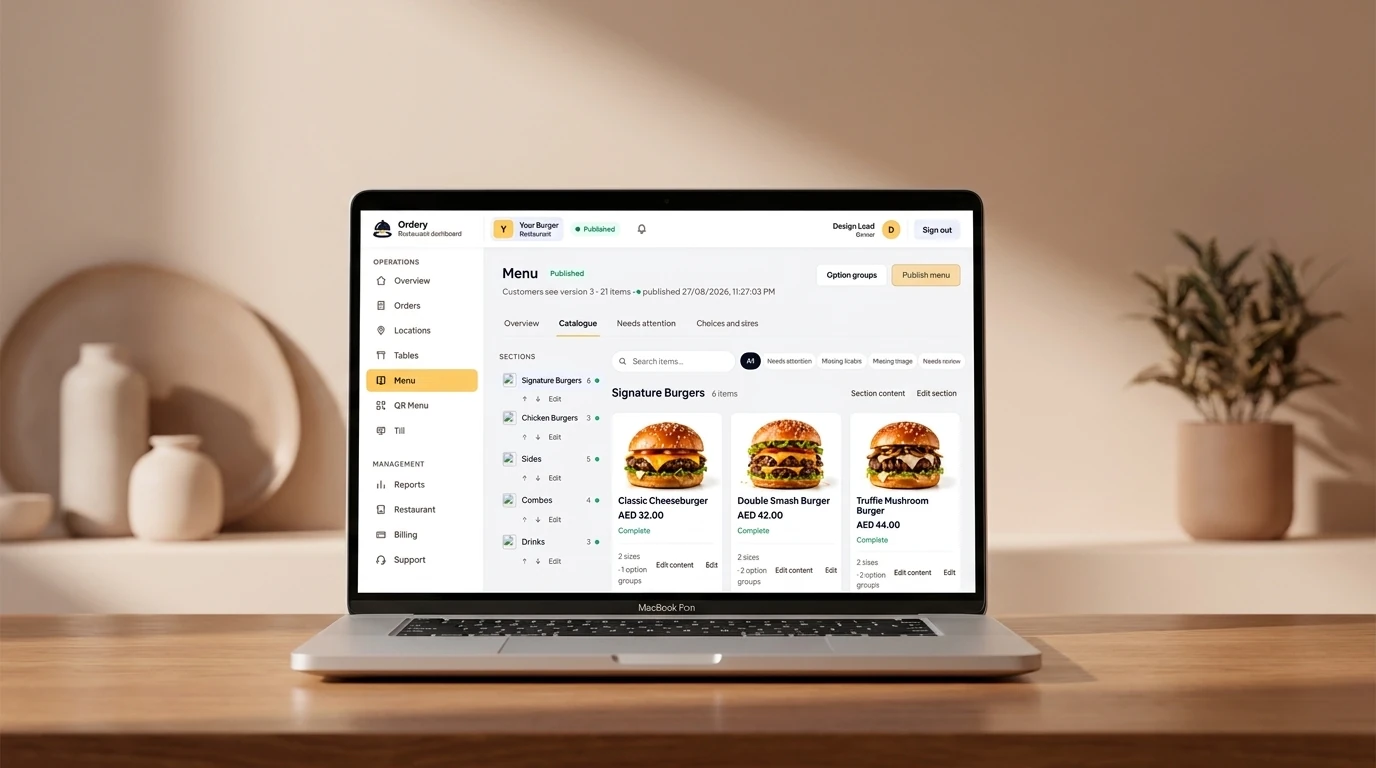
What it covers
- A QR menu customers read and order from, published by you.
- A Windows till for the counter, with shifts and end-of-day.
- Locations, each with its own prices and its own list of what it sells.
- Tables and table sessions, so a bill belongs to a table rather than to a person’s memory.
- Stock: suppliers, purchases, recipes and what a dish actually costs to make.
- Reports for the business day, and VAT-ready sales figures.
One menu, and one place it is decided
A menu edited in two systems is two menus, and they disagree within a week. In Ordery the menu has an owner at any moment — the dashboard or a connected till — and the other side follows it. Moving that ownership is a deliberate act somebody takes, not something a misconfigured machine can do by accident.
Built for the way independents actually work
The people who run the restaurants Ordery is built for do several jobs. The owner is often the buyer, the manager is often on the floor, and nobody has an IT department. So the back office is a screen a manager can use between covers, the till runs on hardware you can replace at a computer shop, and the interface is in English, Arabic or Hindi depending on who is reading it.
FAQ
Questions
Do I have to use all of it?
No. A restaurant can start with the QR menu alone, add ordering, and add the till later. The parts are designed to be useful on their own.
Can it handle more than one branch?
Yes. Locations are first-class: one brand, several counters, each with its own prices and availability.
See it with your own menu
Creating an account costs nothing and takes a few minutes. Add a location, put your menu in, and print a QR code for one table before you decide anything.